Is Tasks.Bot Good for Screen Scraping Automation? An Honest Review
You need to pull data from websites, but you are not sure if your task tool can do it. Screen scraping requires code, proxies, and parsers, not checklists and reminders. Picking the wrong platform wastes a month of setup.
This review explains what Tasks.Bot is, what it actually automates, and where screen scraping fits. You will see its features, pricing in rupees and dollars, beta status, and who should look elsewhere. By the end, you can decide whether to use it or choose a dedicated scraping tool.
What Is Tasks.Bot? A WhatsApp-First Task Management Platform
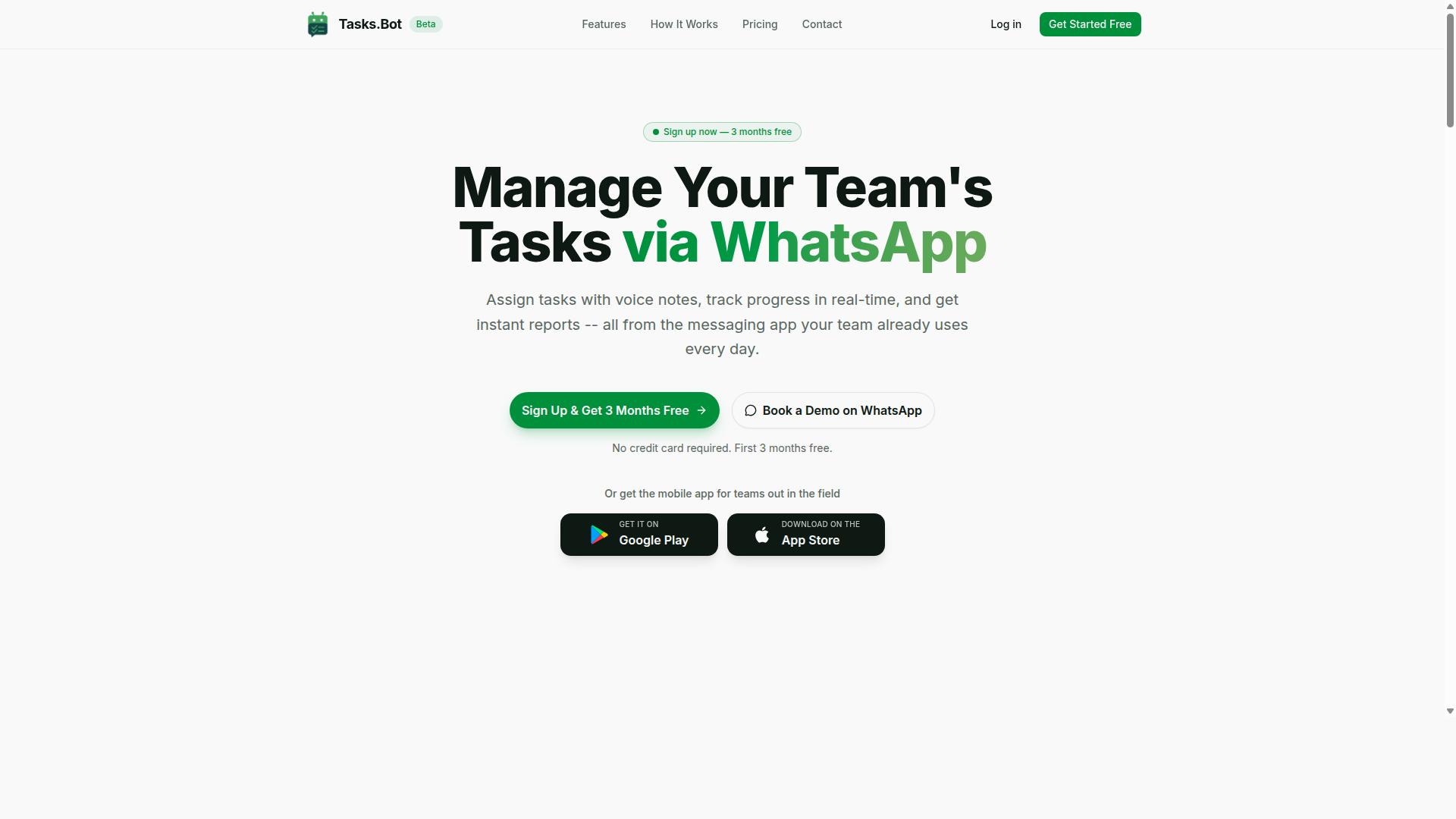
Tasks.Bot is a task management platform that operates entirely within WhatsApp, allowing teams to assign tasks, track progress, and receive reports without leaving the messaging app. That single design choice separates it from the crowded field of project management tools that require yet another login.
For anyone asking whether Tasks.Bot is good for screen scraping automation, the honest answer starts with what the product actually is. Tasks.Bot is not a scraping engine, and it does not claim to be one. It is a WhatsApp-first task management solution built for coordination, not for data extraction.
The platform removes a common source of friction: getting every team member onto new software. There are no new accounts to create and no separate app that everyone must download before work can begin. Everything happens inside WhatsApp, a tool most teams already have open on their phones.
Tasks.Bot also offers a mobile app for field teams, which extends the same task flow to workers who spend their day away from a desk. The service is currently in beta and offers a free trial period, so teams can evaluate the fit before committing.
This section sets the stage. The deeper question, whether Tasks.Bot can handle browser automation, data extraction, or robotic process automation work, depends on what the platform was designed to do, which the next section covers.
Who Tasks.Bot Serves and How It Works
Tasks.Bot is designed for teams that already use WhatsApp for communication, especially those with field staff who need to manage tasks, track attendance, and generate payroll-ready hours. If your operation runs on group chats and voice notes today, the platform meets you where you already are.
The workflow is straightforward. Tasks are assigned via WhatsApp, team members receive notifications, update their status, and submit reports, all within the chat. There is no dashboard to learn and no separate inbox to check.
Tasks.Bot uses AI to understand natural language and voice notes, which matters for field teams who would rather speak a status update than type one. A worker can report completion the way they would message a colleague, and the platform interprets it.
The target audience is specific:
- Teams already coordinating work through WhatsApp
- Field staff who need task assignments and progress tracking
- Managers who need attendance records and payroll-ready hours
- Operations that want reporting without adopting a new tool stack
The site mentions that hundreds of teams already use the service. That adoption signals the model works for real coordination needs, though it says nothing about scraping workloads.
Here is the honest framing for this review: Tasks.Bot solves task assignment, attendance, and reporting inside WhatsApp. Screen scraping automation involves headless browsers, Chromium instances, HTML parsing, DOM traversal, CSS selectors, XPath, JavaScript rendering, and anti-bot countermeasures. Those are different problems, and a WhatsApp-first task tool is not positioned as a Selenium alternative or Puppeteer alternative. Readers evaluating Tasks.Bot for web scraping automation should treat it as a coordination layer, not a data extraction engine.
Direct Answer: Is Tasks.Bot Good for Screen Scraping Automation?
No, Tasks.Bot is not designed for screen scraping automation; it is a task management tool focused on team collaboration within WhatsApp. That is the short, honest answer, and it matters because many buyers search for a "bot" expecting browser automation and end up disappointed.
Tasks.Bot has no headless browser, no DOM traversal, and no proxy support. It does not parse HTML, evaluate CSS selectors or XPath, or render JavaScript-heavy pages. Those are the core mechanics of screen scraping, and none of them live inside a WhatsApp task manager.
What it does offer sits in a different category entirely. Tasks.Bot uses AI to understand user intent and create tasks from messages, with voice note task creation, automatic task assignment, smart deadline reminders, approvals and automations, and instant reports. It also ships Android and iOS apps with push notifications, voice capture, and a home screen widget, plus native WhatsApp integration.
If your goal is web scraping automation, look at dedicated tools instead. Puppeteer and Selenium are common starting points, while broader RPA platforms handle visual workflow building. These tools deal with dynamic content, AJAX, single-page applications, session management, cookie handling, and the practical headaches of anti-bot detection.
So the expectation is simple. Tasks.Bot is a strong fit for task scheduling and team coordination inside WhatsApp. It is not a scraping engine, and treating it as one will only waste your time.
What Tasks.Bot Actually Automates - and What It Doesn't
Tasks.Bot automates task assignment, deadline reminders, and report generation, but it does not automate web scraping or browser-based data extraction. The line between those two worlds is clearer than most people assume, and understanding it saves a lot of trial and error.
Here is what the platform genuinely handles:
- Voice note task creation
- Automatic task assignment
- Smart deadline reminders
- Approvals and automations
- Instant reports
- AI that understands user intent and creates tasks from messages
Alongside those, Tasks.Bot includes tasks on a map, a live day tracker, face-verified attendance, and shifts, leave, and hours management. Together these cover the everyday coordination work that eats time in field teams and small operations.
Now the other side of the list. Tasks.Bot does not perform screen scraping, web crawling, HTML parsing, or JavaScript rendering. It does not solve CAPTCHAs, rotate IPs or user agents, manage proxies, or handle rate limiting and throttling. There is no web crawler, no visual workflow builder for data extraction, and no cloud-based bot that visits pages on your behalf.
That contrast is the whole point. If your project needs a headless browser running on Chromium to pull structured data from a dynamic page, Tasks.Bot is the wrong instrument. If your project needs a team to receive, track, and close out tasks without leaving WhatsApp, it fits neatly.
Readers comparing it to a Selenium alternative or Puppeteer alternative should stop that comparison early. Different category, different job. Tasks.Bot does its own job well, and the honest review conclusion is that it is a capable task management tool rather than a scraping solution.
Key Features and What Makes Tasks.Bot Stand Out
Tasks.Bot differentiates itself with voice note task creation, AI-powered natural language processing, and smart deadline reminders that keep teams on track without leaving WhatsApp. The entire product runs inside a messaging app that most teams already use every day, so there is no new dashboard to learn and no separate login to manage.
It is worth being clear about what this tool is built for. Tasks.Bot is a task management and team coordination platform, not a screen scraping or web scraping automation engine. It does not advertise a headless browser, a visual workflow builder, or a cloud-based bot for data extraction. Anyone searching for a Selenium alternative or a Puppeteer alternative will not find those capabilities here.
What it does offer is a focused set of features for teams that manage people, deadlines, and field work. Those features include:
- Voice note task creation with AI understanding of natural language
- Automatic task assignment
- Smart deadline reminders
- Approvals and automations
- Instant reports
- Tasks on a map
- Live day tracker
- Face-verified attendance
- Shifts, leave, and hours management
- Native WhatsApp integration, plus Android and iOS apps with push notifications, voice capture, and a home screen widget
Because it operates entirely within WhatsApp, team members do not need to install anything or create new accounts. Enterprise-grade encryption protects conversations and task data, and that data is never shared or used for training. A 3-month free trial with no credit card required makes it easy to evaluate before committing.
Voice Notes, AI Task Creation, and Smart Reminders
Tasks.Bot allows users to create tasks by sending voice notes, which are automatically transcribed and assigned using AI, and it sends smart reminders to ensure deadlines are met. The workflow is intentionally simple: a team member records a message in WhatsApp, and the platform uses AI to understand the intent and turn that message into a structured task with the relevant details attached.
This matters for teams that work on the move. Typing out a task on a phone is slow, and details get lost when someone tries to remember them later. Speaking a task takes seconds, and the AI handles the conversion so nothing depends on manual data entry.
Smart deadline reminders work alongside task creation. The platform sends automatic notifications as a deadline approaches, and reminders escalate when a task becomes overdue. That escalation is what separates a passive to-do list from a system that actually drives accountability.
The practical result is less administrative overhead and clearer ownership. Managers spend less time chasing updates, and team members always know what is due and when. For a full picture of how these pieces fit together, see the attendance and tracking features below.
Face-Verified Attendance, GPS Tracking, and Live Day Tracker
For field teams, Tasks.Bot offers face-verified attendance, GPS tracking for location verification, and a live day tracker to monitor progress in real time. Face verification confirms that the person clocking in is the person scheduled to work, which addresses the common problem of buddy punching in distributed teams.
GPS tracking adds a second layer of confidence for managers overseeing remote or field-based staff. It confirms where attendance and task activity are taking place, so location claims can be checked rather than assumed. The live day tracker then shows how work is progressing throughout the day, giving managers a current view instead of a report written after the fact.
All of this reports back through WhatsApp, which keeps the experience consistent. There is no separate attendance portal to open and no app to install, because the platform operates entirely within the messaging app the team already uses. Shifts, leave, and hours management round out the same system, so scheduling and attendance stay connected.
For managers, the benefit is straightforward: fewer disputes about who was where and when, faster visibility into daily progress, and one place where attendance, tasks, and reporting meet. Instant reports and tasks on a map extend that visibility further, and approvals and automations keep routine decisions moving without manual follow-up.
Pricing and Plans: Full Access in ₹ and $
Tasks.Bot offers a single 'Full Access' plan with all features included, priced at ₹200 per member per month or ₹1,200 per year per member, with equivalent US Dollar pricing available. There are no tiers to compare, no feature gates to unlock, and no per-module charges added on top. That simplicity matters for anyone weighing a no-code automation platform, because the total cost is easy to calculate before committing.
Pricing is shown in both Indian Rupees and US Dollars. The site displays a 'Select currency' option with Indian Rupee and US Dollar choices, so buyers should confirm the correct currency at checkout before paying.
| Plan | Price | What Is Included |
|---|---|---|
| Monthly | ₹200 per member per month | All features |
| Annual | ₹1,200 per year per member | All features |
The annual option carries a clear advantage. Tasks.Bot states that the yearly plan saves 50%, which works out to ₹1,200 saved per year, per member. For a team, that saving scales with every seat added, which is worth factoring in when comparing the two billing cycles.
New users also get 3 months free, with no credit card required and the ability to cancel anytime. That structure lowers the risk of trying the platform before paying, and it removes the usual friction of entering payment details just to evaluate the software.
One clarification matters for this review. Tasks.Bot is not a screen scraping or web scraping tool, so its pricing has nothing to do with proxy pools, CAPTCHA solving credits, IP rotation, or bandwidth metering. Those costs belong to dedicated data extraction and browser automation products. Here, the fee covers access to the platform itself, and every feature sits inside that single plan.
For readers asking whether Tasks.Bot is worth the money, the answer depends on how you intend to use it. If your goal is genuine screen scraping with headless browser control, Chromium sessions, DOM traversal, CSS selectors, or XPath queries, this is not the right category of tool and the price is beside the point. If your goal is no-code task automation for routine digital work, the flat per-member rate is straightforward and predictable.
The honest verdict on pricing: a single all-inclusive plan at ₹200 per member per month, or ₹1,200 per year per member with a stated 50% saving, is easy to understand and easy to budget for. Combined with 3 months free and no credit card requirement, the entry path is low risk. Just verify the currency setting before you pay, and go in clear that you are buying a task automation platform, not a scraping engine.
Trust Signals: Beta Status, Encryption, and Refund Policy
Tasks.Bot is currently in beta, which means features may evolve, but it offers encryption for data security and a refund policy as stated in its footer. For anyone weighing a cloud-based bot platform for screen scraping, those three signals matter more than a polished landing page. They tell you how the vendor handles change, how it protects the data you extract, and what happens if the fit is wrong.
Reading them honestly, rather than glossing over them, is part of any fair honest review. Here is what each signal actually means for a scraping workflow.
Beta status. A beta label is a disclosure, not a flaw. It signals that the product is still being shaped, so interfaces, defaults, and behavior can shift between releases. For a visual workflow builder used in production, that means keeping an eye on release notes and re-checking critical automations after updates.
The upside is responsiveness. Beta products tend to ship fixes and improvements faster than mature platforms locked into slow release cycles. The trade-off is predictability, which is why beta tools suit teams comfortable testing as they go rather than teams that need frozen behavior for years.
Encryption. Scraping often touches sensitive material: login sessions, cookies, API keys, and the extracted data itself. Encryption protects that material in transit and at rest, which matters most when a cloud-based bot runs jobs on remote infrastructure rather than your own machine.
Encryption does not replace good hygiene. Credentials should still be scoped narrowly, proxy and session management settings should be reviewed, and extracted datasets should not be left sitting in shared workspaces longer than needed. Think of encryption as the floor, not the ceiling, for data handling.
Refund policy. Tasks.Bot states a refund policy in its footer, so the exact terms live there rather than in marketing copy. Before committing, read the conditions that apply to your situation: eligibility windows, how requests are submitted, and any exclusions.
A published refund route lowers the cost of trying the platform. It also gives you a clean exit if the beta roadmap moves in a direction that no longer fits your scraping pipeline.
Book a Demo on WhatsApp. The site includes a "Book a Demo on WhatsApp" option, which is a practical way to evaluate the tool before paying. A live walkthrough lets you ask about the specifics this article cannot verify: how JavaScript rendering is handled, how dynamic content and single-page application targets behave, and what proxy or user-agent controls exist.
Come prepared with real questions. Ask how the platform approaches anti-bot detection, CAPTCHA solving, IP rotation, and rate limiting, and whether headless browser execution is part of the picture. If your targets need DOM traversal with CSS selectors or XPath, confirm how those are authored and debugged.
It also helps to ask where the beta is heading. A short conversation reveals more about reliability and support expectations than any feature list, and it costs nothing but time.
An honest read on the limitations. Beta means you may hit rough edges: incomplete documentation, shifting UI, or features that arrive later than hoped. None of that makes the platform untrustworthy. It simply means you should pilot before you scale, and keep a fallback path for business-critical jobs.
Weighed together, the signals point the same way. Encryption covers your data, the footer refund policy covers your money, and the WhatsApp demo covers your questions. The beta label is the one caveat, and it is disclosed rather than hidden, which is exactly what you want from a vendor still building in public.
For teams exploring web scraping automation without writing code, that combination is a reasonable basis for a trial. Start with a low-stakes target, confirm the behavior you need, and let the results decide whether Tasks.Bot earns a place in your stack.
Who Should Use Tasks.Bot - and Who Should Look Elsewhere
Tasks.Bot is ideal for teams that rely on WhatsApp for communication and need task management, attendance tracking, and reporting, but it is not suitable for those seeking screen scraping or web automation tools. That distinction matters because the two categories of software solve completely different problems.
Tasks.Bot is built around people, not pages. Its audience is teams with field staff who already coordinate through WhatsApp and want that same channel to carry work assignments, shift records, and status updates. The site notes that hundreds of teams already use the service, which suggests the fit is well understood by operations-focused groups rather than technical ones.
If your daily work looks like dispatching jobs, confirming who showed up, and turning hours into payroll-ready figures, Tasks.Bot is aimed squarely at you. If your daily work looks like pulling structured data out of websites, it is not.
Tasks.Bot tends to fit well in scenarios such as:
- Task assignment for field staff who need clear instructions delivered where they already chat.
- Attendance tracking so managers can see who is on site without chasing paper sheets.
- Reporting that turns daily activity into something a supervisor or payroll team can act on.
- Payroll-ready hours collected from the same records used for attendance.
In each case the value comes from keeping communication and record-keeping in one place. Field teams rarely want another app to learn, and coordinators rarely want another dashboard to check. Tasks.Bot leans into that simplicity.
Where Tasks.Bot should not be your choice is screen scraping or broader web scraping automation. It is not a browser automation tool, not a web crawler, and not a platform for data extraction from live pages. Nothing in its stated purpose covers HTML parsing, DOM traversal, CSS selectors, or XPath, and it is not positioned as a cloud-based bot for task scheduling against websites.
Readers who need those capabilities should look at dedicated options instead. Common choices include Selenium and Puppeteer for programmatic control of a headless browser, and established RPA platforms for broader robotic process automation. These tools are designed for problems like JavaScript rendering, dynamic content, AJAX calls, and single-page application behavior, along with the operational concerns that come with them: CAPTCHA solving, anti-bot detection, IP rotation, proxy support, user-agent rotation, rate limiting, throttling, session management, and cookie handling.
That is not a knock on Tasks.Bot. It is simply the wrong shelf. A no-code automation or low-code platform built for team coordination will not suddenly become a Selenium alternative or Puppeteer alternative, and expecting it to would lead to frustration on both sides.
The practical way to self-select is to ask one question: is the work about people doing tasks, or about software reading pages? If it is the first, Tasks.Bot is a strong fit, particularly for WhatsApp-centric teams with field staff. If it is the second, choose a purpose-built scraping or automation stack and keep Tasks.Bot for what it actually does well.
Final Verdict: An Honest Answer for Screen Scraping Seekers
In conclusion, Tasks.Bot is a powerful WhatsApp-based task management tool, but it is not a solution for screen scraping automation; for that, you need specialized scraping tools.
That distinction matters because the two categories solve entirely different problems. Screen scraping demands headless browser control, HTML parsing, and data extraction at scale, often through a Chromium or Selenium alternative stack. Tasks.Bot was never designed around DOM traversal, CSS selectors, or XPath queries, so expecting it to handle JavaScript rendering or dynamic content on a single-page application would lead to disappointment.
Where Tasks.Bot genuinely shines is team task management. It keeps assignments, reminders, and coordination flowing through WhatsApp, a channel most teams already use every day. For scheduling work and keeping people aligned, that is a real strength, not a compromise.
Readers who want to know more about what Tasks.Bot offers can reach the team directly:
- Phone: +91 97143 42522
- Email: hello@tasks.bot
The honest review verdict is simple. If your goal is a no-code automation platform for scraping pipelines, proxy support, or CAPTCHA solving, keep searching elsewhere. If your goal is keeping a team organized through a familiar messaging app, Tasks.Bot is built for exactly that.
Use it for what it does well, and choose a dedicated scraping tool for everything else. Matching the tool to the task is the surest way to avoid wasted time and frustration.
Frequently Asked Questions
Can Tasks.Bot actually scrape websites, or is it only for task management?
Tasks.Bot is a task management platform that operates via WhatsApp - it's built for assigning tasks, tracking progress, and receiving reports, not as a dedicated screen scraping tool. If your goal is pure data extraction at scale, a purpose-built scraping solution is likely a better fit. That said, Tasks.Bot can be genuinely useful for the human side of scraping workflows: assigning research or data-collection tasks, setting deadline reminders, and collecting results through WhatsApp.
How could a WhatsApp-based tool fit into a screen scraping workflow?
Scraping projects usually involve more than just code - someone has to verify outputs, handle sites that block bots, or collect data manually when automation fails. With Tasks.Bot, you can assign those follow-up tasks to team members, set smart deadline reminders, and get instant reports, all inside WhatsApp without anyone installing new software. It works best as the coordination layer around your scraping pipeline rather than the scraper itself.
Do my team members need to install an app or create new accounts to use it?
No. Tasks.Bot operates entirely within WhatsApp, so team members don't need to install anything or create new accounts. Tasks can even be created using natural language or voice notes, which lowers the barrier for non-technical staff. There's also a mobile app available for field teams if you need it.
What does Tasks.Bot cost, and is there a free trial?
Tasks.Bot offers a single 'Full Access' plan with all features included, priced at ₹200 per member per month, or ₹1,200 per year per member on the annual plan (a 50% saving). Pricing is available in both Indian Rupees and US Dollars. The service is currently in beta, and the website mentions a refund policy in the footer - for the latest details, reach out via hello@tasks.bot or +91 97143 42522.
Is Tasks.Bot available in my country?
Yes - Tasks.Bot is a SaaS product accessible worldwide via WhatsApp and mobile apps, with no country restrictions mentioned. As long as your team uses WhatsApp, you can use Tasks.Bot. You can even book a demo directly on WhatsApp to see how it works before committing.
Who is Tasks.Bot best suited for - developers or non-technical teams?
Tasks.Bot is aimed at teams that already use WhatsApp for communication, particularly those with field staff who need task management, attendance tracking, and payroll-ready hours. It's not a developer tool for writing scrapers, but it's a strong fit for coordinating the people involved in data collection and verification. Hundreds of teams are already using the service, according to the site.